 Skip to content

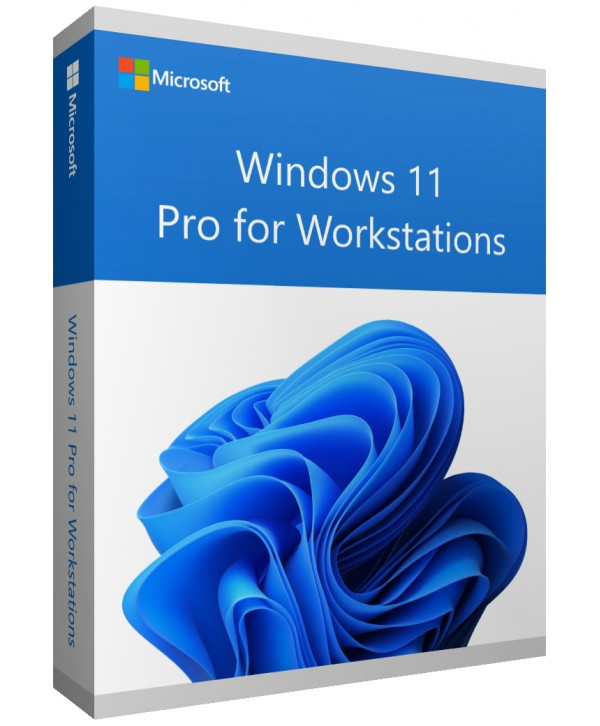
Windows 11 pro for workstations
Reward Points : 1Points
Original price was: $199.99.$59.99Current price is: $59.99.
DOWNLOAD LINK INCLUDED
 100% Genuine
Both 32/64 bit version support
All languages
Online update support.
Lifetime effective

Have Questions?

🛒 Frequently Bought Together
Windows 11 pro for workstationsOriginal price was: $199.99.$59.99Current price is: $59.99.
 Office 2021 Professional Plus key
Original price was: $249.99.$49.99Current price is: $49.99.
Windows 11 Pro for workstations
What’s the difference between Windows 11 Pro and Pro for Workstations?
The simplest way to think about it is
Windows 11 Pro is the powerful, feature-rich version for most professionals, businesses, and power users.
Windows 11 Pro for Workstations is a specialized, ultra-robust version built for extreme performance, massive data handling, and mission-critical reliability.
Think of it as the difference between a high-performance luxury sedan (Pro) and a heavy-duty industrial-grade truck (Pro for Workstations).
Key Feature Comparison Table
| Features | Windows 11 Pro | Windows 11 Pro for Workstations |
|---|---|---|
| Target User | Businesses, IT departments, developers, power users. | Scientists, engineers, financial analysts, media creators, data scientists. |
| Max RAM Support | 2 TB | 6 TB (A massive increase for memory-intensive tasks) |
| CPU Support | Up to 2 physical CPUs (sockets) | Up to 4 physical CPUs (sockets) |
| File System | Standard NTFS | ReFS (Resilient File System) + NTFS |
| Data Resilience | Standard | ReFS for data integrity, NVDIMM-N support for persistent memory. |
| Performance Mode | Standard | Excelior Mode for optimized I/O performance. |
| Price | Standard Pro pricing | Significantly more expensive. |
More performance for the operating system at work
Processing large amounts of data usually becomes a challenge on a home PC. But with the new Windows 11 Pro for Workstation, you can expect the highest level of performance and new levels of convenience. Both on-site in the office and directly in the home office, you can count on effortless implementation. So you’re ready for the projects of your future today.
One of the key benefits of Windows 11 Pro for Workstation is that it significantly improves device connectivity via the cloud. This makes it easier for all departments to collaborate and provides better coordination at each location. Even though a completely new system has not been introduced compared to the previous version, the adjustments have now been made for the new operating system. Thus, numerous bugs could be removed effectively and efficiently.
Exciting new features with Windows 11
Above all, the new look, the improved taskbar and the optimized Start menu make Windows 11 much clearer overall. The same goes for the optimized Microsoft Store, the effectively revamped context menus and numerous icons that have been newly added. But how exactly does Windows 11 Pro for Workstation differ from the other versions of the new system?
- Increased storage capacity and faster speed
- Optimized cooperation by strengthening the cloud
- Support for technically modern high-end devices
- Alignment of the system to high computing load
- Support for up to 4 CPUs and 6 TB RAM
Thanks to the significantly higher performance, nothing stands in the way of efficient operation. Many devices in the workplace go far beyond the usual requirements at this point. Thus, those who rely on modern high-performance computers do not have to worry about the use of the operating system. In direct comparison with other versions, the new Windows 11 Pro for Workstation thus offers similar performance to Windows 11 Pro but optimizes it for your device.
| Processor: | 1 gigahertz (GHz) or faster with 2 or more cores on a compatible 64-bit processor or System on a Chip (SoC). |
|---|---|
| Memory: | 4 GB RAM. |
| Storage: | 64 GB or larger storage device. |
| System firmware: | UEFI, Secure Boot capable. Check here for information on how your PC might be able to meet this requirement. |
| TPM: | Trusted Platform Module (TPM) version 2.0. Check here for instructions on how your PC might be enabled to meet this requirement. |
| Graphics card: | Compatible with DirectX 12 or later with WDDM 2.0 driver. |
|---|---|
| Display Resolution: | High definition (720p) display that is greater than 9” diagonally, 8 bits per color channel. |
| Internet connection: | Microsoft account and internet connectivity are required for setup for Windows 11 Home. |
Certain features require specific hardware.2 System requirements to run some apps will exceed the Windows 11 minimum device specifications. Check device compatibility information specific to the apps you want to install. Available storage on your device will vary based on installed apps and updates. The performance will scale with higher-end, more capable PCs. Additional requirements may apply over time and for updates.

Windows 11 Pro for workstations
1 review for Windows 11 pro for workstations
Only logged in customers who have purchased this product may leave a review.
Related products
Microsoft Windows
Microsoft Windows

Microsoft Windows
Microsoft Windows
Microsoft Windows
Microsoft Windows
Microsoft Windows
Javier ******* –
Made the purchase a few weeks back, key activated successfully with no problem