 Skip to content

Office 2021 MAK Keys | Multiple Activation Volume Licenses
Welcome to the official Office 2021 MAK (Multiple Activation Key) category at MyLegitKeys.com. Here, IT administrators, managed service providers, and businesses find authentic Microsoft Office 2021 Volume Licensing keys designed for streamlined deployment across multiple workstations. Unlike retail or OEM keys, a MAK provides centralized activation management for 5 to 500+ seats without requiring a local KMS server—perfect for organizations needing enterprise-grade Office licensing with simplified administration.
🔑 What is an Office 2021 MAK Key?
A Multiple Activation Key (MAK) is a Microsoft Volume Licensing key that allows a predetermined number of activations against Microsoft’s servers. Unlike KMS keys requiring continuous network connectivity to a local server, MAK keys activate once per device directly with Microsoft—ideal for distributed workforces, remote employees, or environments where setting up KMS infrastructure isn’t practical.
MAK vs. KMS vs. Retail Comparison:
| Feature | Retail Key | KMS Key | MAK Key |
|---|---|---|---|
| Activations | 1 device only | Unlimited (with KMS server) | Pre-set count (e.g., 10, 25, 50) |
| Infrastructure | None required | Requires KMS server | No server required |
| Ideal For | Individual users | Large networks (25+ devices) | Mid-size businesses (5-500 seats) |
| Internet Required | For activation | Only for KMS server setup | Once per device activation |
| Administration | Individual management | Centralized via KMS | Centralized via activation tracking |
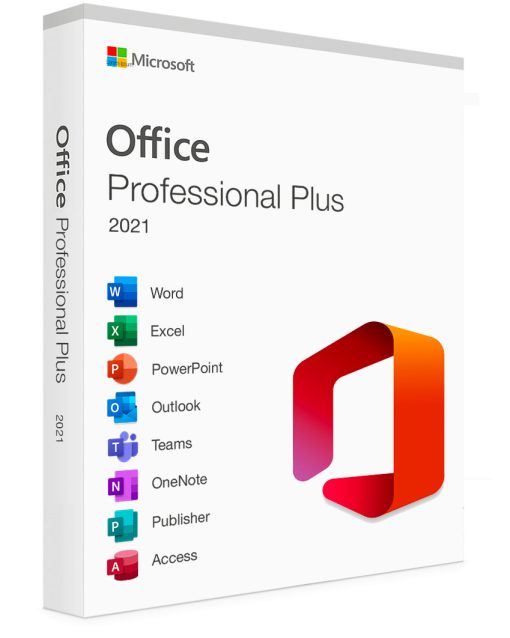
📦 What’s Included in Office 2021 Professional Plus MAK:
Your MAK license activates the complete Office 2021 Professional Plus suite:
-
Microsoft Word 2021
-
Microsoft Excel 2021
-
Microsoft PowerPoint 2021
-
Microsoft Outlook 2021
-
Microsoft Access 2021
-
Microsoft Publisher 2021
-
Skype for Business 2021
-
OneDrive for Business
Note: MAK keys are also available for Office Standard 2021 (without Access, Publisher, Skype for Business).
🎯 Perfect Deployment Scenarios for MAK Keys:
-
Small to Medium Businesses: 10-250 employees without dedicated IT infrastructure
-
Remote & Hybrid Teams: Employees working from home or satellite offices
-
Educational Computer Labs: Fixed number of classroom or library workstations
-
Healthcare Practices: Doctor’s offices, clinics with multiple examination room PCs
-
Professional Services Firms: Consulting, legal, or accounting offices
-
Government & Municipal Offices: Departmental deployments with fixed seat counts
-
Non-Profit Organizations: Cost-effective volume licensing for staff workstations
⚙️ How MAK Activation Works:
-
Purchase – Buy a MAK key with your required activation count (e.g., 25 activations)
-
Deploy – Install Office 2021 using your standard deployment tools (imaging, SCCM, Group Policy)
-
Activate – Each computer contacts Microsoft’s servers once using the same MAK key
-
Track – Monitor remaining activations via Volume Licensing Service Center (VLSC)
-
Replenish – Purchase additional activations if you exceed your initial count
✅ Key Benefits of Office 2021 MAK Licensing:
-
No Local Server Required – Eliminates KMS host setup and maintenance
-
Predictable Licensing – Pay only for the activations you need
-
Centralized Management – Track all activations through Microsoft’s VLSC portal
-
Offline Capable – Once activated, no continuous network connection needed
-
Flexible Deployment – Works with any deployment method (manual, imaging, MDT)
-
Cost-Effective – More affordable than individual retail licenses for 5+ seats
📊 MAK Activation Pool Management:
Microsoft provides an activation pool with each MAK key. For example:
-
MAK Key XYZ-123: 25 total activations available
-
Computer 1: Uses activation #1
-
Computer 2: Uses activation #2
-
Remaining: 23 activations left
Pro Tip: You can re-activate computers after hardware changes without using additional activations in most cases.
❓ Frequently Asked Questions:
Q: How many activations come with a MAK key?
A: MAK keys are sold with specific activation counts (typically 5, 10, 25, 50, 100+). Choose the quantity matching your deployment size.
Q: Can I increase activations later?
A: Yes, you can purchase additional activations for your existing MAK key through our volume licensing portal.
Q: What happens if I exceed my activations?
A: Additional computers will fail to activate. You’ll need to purchase more activations or remove Office from unused devices to free up slots.
Q: Does MAK require Volume Licensing Agreement?
A: Yes, MAK keys are part of Microsoft’s Volume Licensing program. We handle the agreement on your behalf.
Q: Can I use MAK with Office Deployment Tool (ODT)?
A: Absolutely. MAK keys work perfectly with ODT, SCCM, Intune, and other enterprise deployment tools.
Q: Is this the same as Office 2021 Professional Plus?
A: Yes, MAK keys activate Office 2021 Professional Plus (or Standard edition if selected).
Q: What’s the difference between MAK and retail keys?
A: Retail keys activate 1 device. MAK keys activate multiple devices (your purchased quantity) and are managed differently.
Q: Do you provide installation files?
A: Yes, you receive access to download Office 2021 deployment tools and ISO files from Microsoft’s Volume Licensing Service Center.
Office 2021 MAK
Office Professional Plus 2021 MAK License Key 300 PC Activations

Office 2021 MAK
Office Professional Plus 2021 MAK License Key 100 Activations
Office 2021 MAK
Office 2021 MAK