 Skip to content

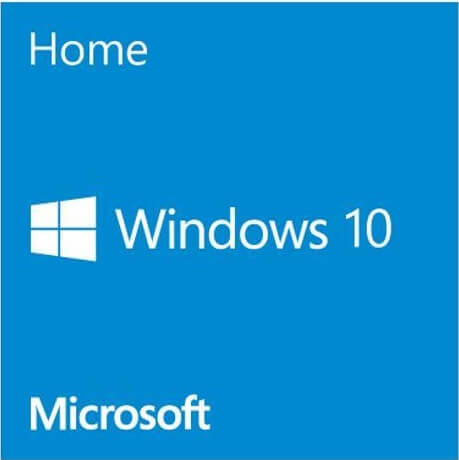
Windows 10 Home OEM Key
Reward Points : 1Points
Original price was: $89.99.$39.99Current price is: $39.99.
 Lifetime Valid
100% updatable
Genuine Windows Software
Download Link Provided



Windows 10 Home OEM Key
The greatest thing about Windows 10 is that it feels like Windows. Microsoft saw that shifting focus from the desktop and start menu was too much too soon. It’s a blissful union of the best qualities of Windows 7 and Windows 8, the desktop features of 7 with some of the touch-friendly attributes of 8.1. Most importantly, Windows 10 shows that Microsoft’s dream of one OS for all platforms might soon be real. Get a great deal today when you buy from Software King.
System Requirements:
- 1 GHz processor
- 2 GB RAM
- 16 GB available hard disk space
- 1366 x 768 screen resolution
- DirectX 9 graphics processor with WDDM driver
- A Microsoft account and Internet access.
Install or upgrade your PC operating system to the latest Microsoft offering with the Windows 10 Home 64-bit license. When you buy this software from MySoftwarekeys.com, you can quickly install the operating system on your machine. The software will be delivered to you electronically. Windows 10 combines the best of Windows 7 and 8 into one system. It’s designed to connect PCs and tablets seamlessly. Once you install and activate, you can use new features like the Edge browser and Cortana, your voice-controlled assistant. Only users with Windows 7 or Windows 8 can get a free upgrade to Windows 10 from Microsoft. If you have an older operating system or need a clean install of Windows 10 Home, you will need this license.
- No CD and DVD Pack included Windows 10 Home Product Key Only.
- Lowest Price 100% Genuine Windows 10 Home Product Key
- For 1 PC Activate License Key for Permanent, this is not a subscription.
- Both 32-bit and 64-bit Office Versions Support.
- Support all Languages Version, including Windows 10 Home Single Language Edition
- Global License, Worldwide Availability, No Regional Restrictions.
Why Buy Our Windows 10 Home Product key
We guarantee to give you the largest discount, the lowest market price, more importantly, 100% genuine.
if you need to re-install your operating system, you can use the same key to activate again!
This product will be able to activate both 32 bit and 64-bit versions of the Windows 10 Home Plus software.
Online Update Support, Support all Languages Version.
This product will be able to activate both 32 bit and 64-bit versions of the software.
How to activate Windows 10 product key?
Before you begin, make sure to download and install the correct edition of Windows 10. Activate with the following steps after the installation is complete:
1. Go to ‘Control Panel > All Control Panel Items > System‘ and click ‘Activate Windows‘ or ‘Change Product Key‘.
2. Click ‘Activation‘ and enter the Product Key you bought. Now your Windows 10 has been successfully activated.
To check activation status in Windows 10, click the Start button. Then, go to Settings > Update & Security > Activation.
Microsoft Windows 10 Home OEM License Product key
Only logged in customers who have purchased this product may leave a review.
Related products
Microsoft Windows
Microsoft Windows
Microsoft Windows

Microsoft Windows
Microsoft Windows
Microsoft Windows
Microsoft Windows
Reviews
There are no reviews yet.