 Skip to content


Windows Server 2012 Remote Desktop RDS 50 Device CAL
Reward Points : 1Points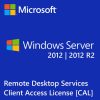
Original price was: $779.00.$159.99Current price is: $159.99.
DOWNLOAD LINK INCLUDED
 Low Price
Both 32/64 bit version support
All languages version support.
Online update support.
Lifetime effective


Windows Server 2012 RDS — 50 Device CAL
Running Remote Desktop Services on Windows Server 2012 or 2012 R2? Every device that connects needs a Client Access License. This listing gives you 50 Device CALs — covering 50 physical machines that can access your RDS environment, regardless of how many different users sit at them.
Device CALs work particularly well for environments like call centres, factory floors, or any setup where multiple employees share the same workstation across different shifts.
Device CAL vs User CAL
- Device CAL — tied to the machine. Any user on that machine is covered. Good for shared terminals.
- User CAL — tied to the person. They can connect from any device. Good for staff who roam.
For 50 fixed workstations accessed by rotating staff, Device CALs are almost always the better value.
Compatibility
Windows Server 2012 Device CALs cover connections to Windows Server 2012 and 2012 R2 RDS hosts. They also satisfy the CAL requirement for older versions (2008 R2 and below), so you’re covered across a mixed server estate.
How to Install Your CALs
- Open Remote Desktop Licensing Manager on your license server
- Right-click the server, select Install Licenses
- Choose your license program and enter the key provided
- Licenses are automatically issued to connecting devices
Frequently Asked Questions
Is Windows Server 2012 RDS still usable in 2024?
Windows Server 2012 and 2012 R2 reached end of support in October 2023. The software still works, but it no longer receives security patches from Microsoft. Many organisations keep it running in isolated environments or with Extended Security Updates (ESU) subscriptions.
Do these CALs work with Windows Server 2012 R2?
Yes. CALs are edition-agnostic within a server generation — 2012 CALs cover both 2012 and 2012 R2.
How are the CALs delivered?
You’ll receive the license key via email, typically within 5 minutes of purchase. You then install it through RD Licensing Manager on your server.
Only logged in customers who have purchased this product may leave a review.
Related products
Windows Server
Windows Server
Windows Server 2012
Windows Server
RDS Services CALS
RDS Services CALS

RDS Services CALS
Windows Server
Reviews
There are no reviews yet.