 Skip to content

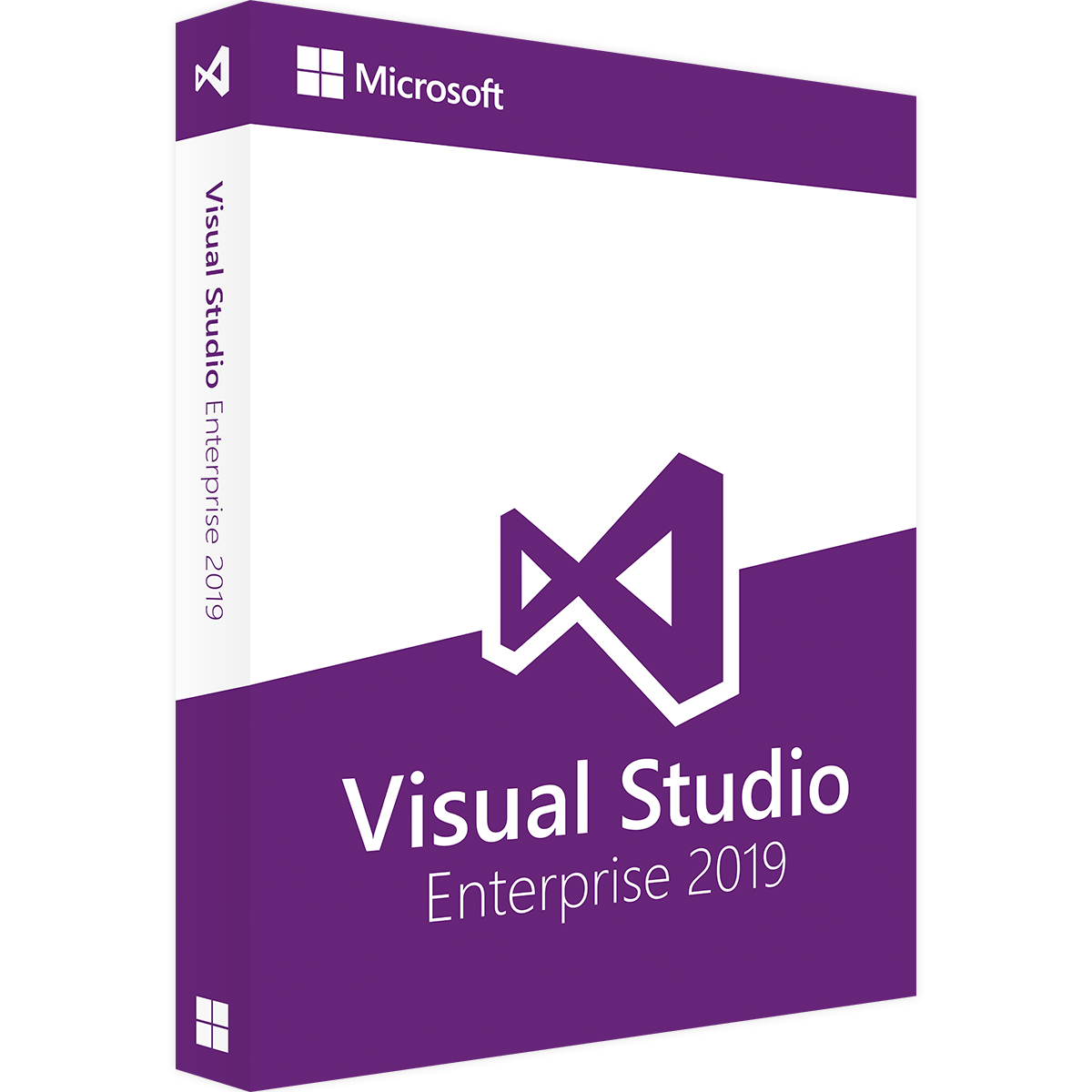
Visual Studio 2019 Enterprise Key
Reward Points : 1Points
Original price was: $349.99.$109.99Current price is: $109.99.
DOWNLOAD LINK INCLUDED
 100% Genuine Retail
32/64 support
Multi-language support.
Online update support.
Lifetime effective


Have Questions?

Visual Studio 2019 Enterprise Key
GENUINE ACTIVATION KEY FOR MICROSOFT VISUAL STUDIO ENTERPRISE 2019.
HOW TO ACTIVATE:
Click Here to “Download Visual Studio 2019”
Log in using your account
Then go to “downloads” and download the product from there
Once you download and run the program, go to “Help” and hit “Register product”
Click “Unlock with Product Key” and enter the provided key
This product is multi-language and completely region-free.
About the product:

VISUAL STUDIO 2019 ENTERPRISE: DEVELOPMENT ENVIRONMENT FOR TEAMS OF ALL SIZES
With the Visual Studio 2019 Enterprise development environment, complex business applications can be made available. The Enterprise version of the end-to-end solution is especially suitable for larger companies as well as programming teams. It will win you over with its large selection of tools for designing and testing programs. Visual Studio can also be paired with various services and subscriptions so that every company can create the development environment that it requires. Purchasing Visual Studio 2019 Enterprise means choosing an integrated solution that can meet high expectations in terms of quality and scalability.
DEVELOP AND TEST APPS THAT ARE SUITABLE FOR ALL DEVICES
Purchasing Visual Studio 2019 Enterprise means receiving Visual Studio for Mac, too, allowing you to create web apps and software for mobile devices quickly and easily. A development environment such as Visual Studio 2019 Enterprise helps developers spend more time coding and less time debugging. The program contains a suite of component tests for code, and allows tests to be carried out automatically while you write the code. The test results can be viewed in real-time. In this way, you can ensure that the code is compatible with architectonic dependency rules.
Visual Studio Enterprise can, as required, also offer a complete DevOps toolchain, which can include automated CI/CD pipelines, for example. With the intelligent test planning of the software, you can understand the basic cause of problems quickly and more easily, and thus resolve errors more speedily. To this end, manual and explorative tests can be carried out in a targeted way. The easy integration of capacity tests in the development process is also helpful, allowing for the appearance of an unlimited number of virtual users. The enhanced debugging and diagnostics tools allow identification of errors in desktop, web, cloud and mobile apps that are being developed. A particular highlight is IntelliTrace, a tool for historical debugging, which supports teams in the case of problems that would otherwise be difficult to reproduce. Code Map also allows for the visual debugging of applications, with which dependencies for very large codebases can also become comprehensible.
HIGHLY PRODUCTIVE PROGRAMMING WITH MODERN SOFTWARE
In the development of Visual Studio 2019, the US manufacturing company placed importance on the creation of a quick and reliable product that can be very easily used. For this reason, many popular and tried and tested functions from Visual Studio 2017 were adopted. Nevertheless, users can expect more possibilities and even more stable features. Refactoring and navigation have been improved, for example. The debugger has also been upgraded. Visual Studio 2019 stands for fast solution loads and builds. Furthermore, users of the development software will benefit from enhanced possibilities for team collaboration. The Live Share feature, for example, makes successful real-time cooperation with multiple programmers easy. Furthermore, digital assistants are on hand for individual developers and teams. An important part of this function is IntelliCode. This makes independent, productive suggestions for the improvement of code that has been written.
PURCHASE VISUAL STUDIO 2019 ENTERPRISE FOR DOWNLOAD
With Lizengo, companies can purchase original software easily and safely. Via our secure connection, programmes can be downloaded directly. The necessary licence key and competent advice are, of course, included. Furthermore, Visual Studio 2019 includes smaller and larger updates. Purchasing the full version naturally entitles the user to receive all service and function updates. As part of this, the software manufacturer is increasing its emphasis on the consideration of user feedback. Customers thus receive a development environment that is strongly orientated towards the actual requirements of programmers. Before deciding to purchase, customers should also be aware that Visual Studio Professional is targeted towards small business and those who are self-employed. The Enterprise version, on the other hand, will meet the requirements of companies of all sizes, and will win you over with a sophisticated range of functions. If you still have any queries regarding Visual Studio 2019 Enterprise, you can contact the Lizengo team in various ways.
SYSTEM REQUIREMENTS
Operating systems: Windows 10, Version 1507 or later
Windows Server 2016
Windows 8.1 with Update 2919355
Windows Server 2012 R2 with Update 2919355
Windows 7 SP1 with the newest updates
Processor: 1.8 GHz or higher
Working memory: at least 2 GB RAM
Available hard-disk space up to 130 GB depending on the features installed
Graphics card: Resolution of at least 1280 x 720, 1366 x 768 recommended
FREQUENTLY ASKED QUESTIONS: FAQ
1. Is Visual Studio 2019 free?
This is a common point of confusion, so let’s clarify:
-
Visual Studio Code: This is a free, lightweight code editor from Microsoft. It is completely free for everyone.
-
Visual Studio 2019 (the main IDE): This has both free and paid versions.
-
Community Edition: This is the free, fully-featured version of Visual Studio 2019. It is free for individual developers, open-source projects, academic research, and small teams (of up to 5 developers in an organization of non-enterprise size). For most students, hobbyists, and small teams, this is all they need.
-
Professional & Enterprise Editions: These are the paid versions that you would purchase from a store like mylegitkeys.com. They include advanced features for larger development teams, enterprise environments, and specific professional testing/architecture tools.
-
In short: Yes, a fully functional version (Community) is free. The paid versions on mylegitkeys.com are for professional and enterprise use cases.
2. Where is the 25 digit product key?
When you purchase software like Visual Studio from mylegitkeys.com, the product key is typically delivered to you electronically after your purchase is confirmed.
Here is where you should look for it:
-
Your Email Inbox: Check the email address you used at checkout. mylegitkeys.com should send you an order confirmation email that contains the 25-character product key or a link/download to retrieve it.
-
Your Account Dashboard: Log in to your account on the mylegitkeys.com website. There should be an “Orders” or “Downloads” section where your digital keys are stored.
-
A Digital Download Link: Sometimes, the email might contain a link to a text file or a secure page that displays your unique key.
Important: The key is not stored inside the software you download. You must use the key sent by the store to activate the software you download from Microsoft’s official website.
3. What is Microsoft Visual Studio Enterprise 2019?
This is the top-tier, most powerful (and most expensive) edition of Visual Studio 2019. It’s designed for large teams and enterprises working on complex, large-scale applications.
Key features that set it apart from the Professional and free Community editions include:
-
Advanced Debugging & Diagnostics: Live dependency validation, IntelliTrace (historical debugging), and snapshot debugging.
-
Enterprise-grade Testing Tools: Includes advanced load testing tools and Microsoft Fakes for isolating code for unit testing.
-
Architecture and Modeling Tools: Includes architecture validation layers and live dependency validation to keep codebases compliant with design rules.
-
Productivity and Collaboration Features: Includes features like CodeLens and powerful portfolio management tools.
You would only need Enterprise if you are in a large organization with very specific, advanced development and compliance requirements.
4. Is 16GB RAM enough for Visual Studio?
Yes, 16GB of RAM is widely considered the sweet spot and is perfectly sufficient for most development tasks in Visual Studio.
Here’s a more detailed breakdown:
-
For light to moderate projects (web apps, console applications, small desktop apps): 16GB is excellent and will feel very responsive.
-
For heavier projects (large enterprise solutions, game development in Unity/Unreal, running multiple virtual machines or Docker containers alongside Visual Studio): 16GB is still a good starting point, but you may occasionally push its limits. In these cases, 32GB becomes a worthwhile upgrade for greater comfort and multitasking.
Minimum vs. Recommended:
-
The minimum requirement is as low as 4GB, but this will feel slow.
-
The recommended requirement is 8GB, which is functional but can struggle with modern multi-tasking.
-
16GB is the practical recommendation for a smooth and future-proofed development experience.
Visual Studio 2019 Enterprise product key
1 review for Visual Studio 2019 Enterprise Key
Only logged in customers who have purchased this product may leave a review.
Related products
Visual Studio
Visual Studio
Visual Studio
Visual Studio
Visual Studio
Visual Studio
Visual Studio
Daniel H***** –
Thank you for providing a smooth transaction